Discount Accounting
Discount is a deduction that is applied to the cost of an item. Accountinite supports applying discount to an invoice on an item-wise basis.
Enable Discount Accounting
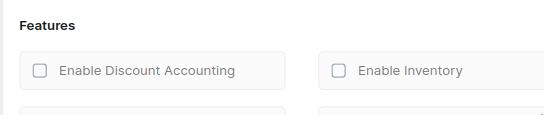
To enable discount accounting, first navigate to General Settings: Setup > Settings > General
Then check the Enable Discount Accounting checkbox.
WARNING!
Once Discount Accounting is enabled, it cannot be disabled.
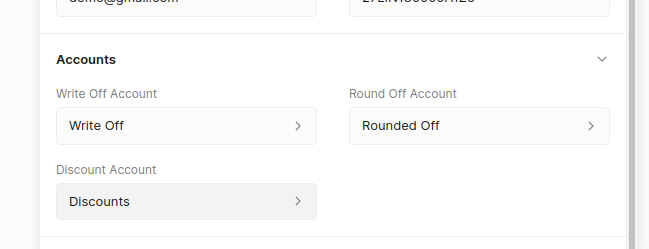
After that set the account that will be used for discounts
INFO
The discount account is an Indirect Income account, you can create it using the
Setting Discount Amount
Discount is applied on an item-wise basis. After you have enabled discount click on the edit button on the item row to set the discount.
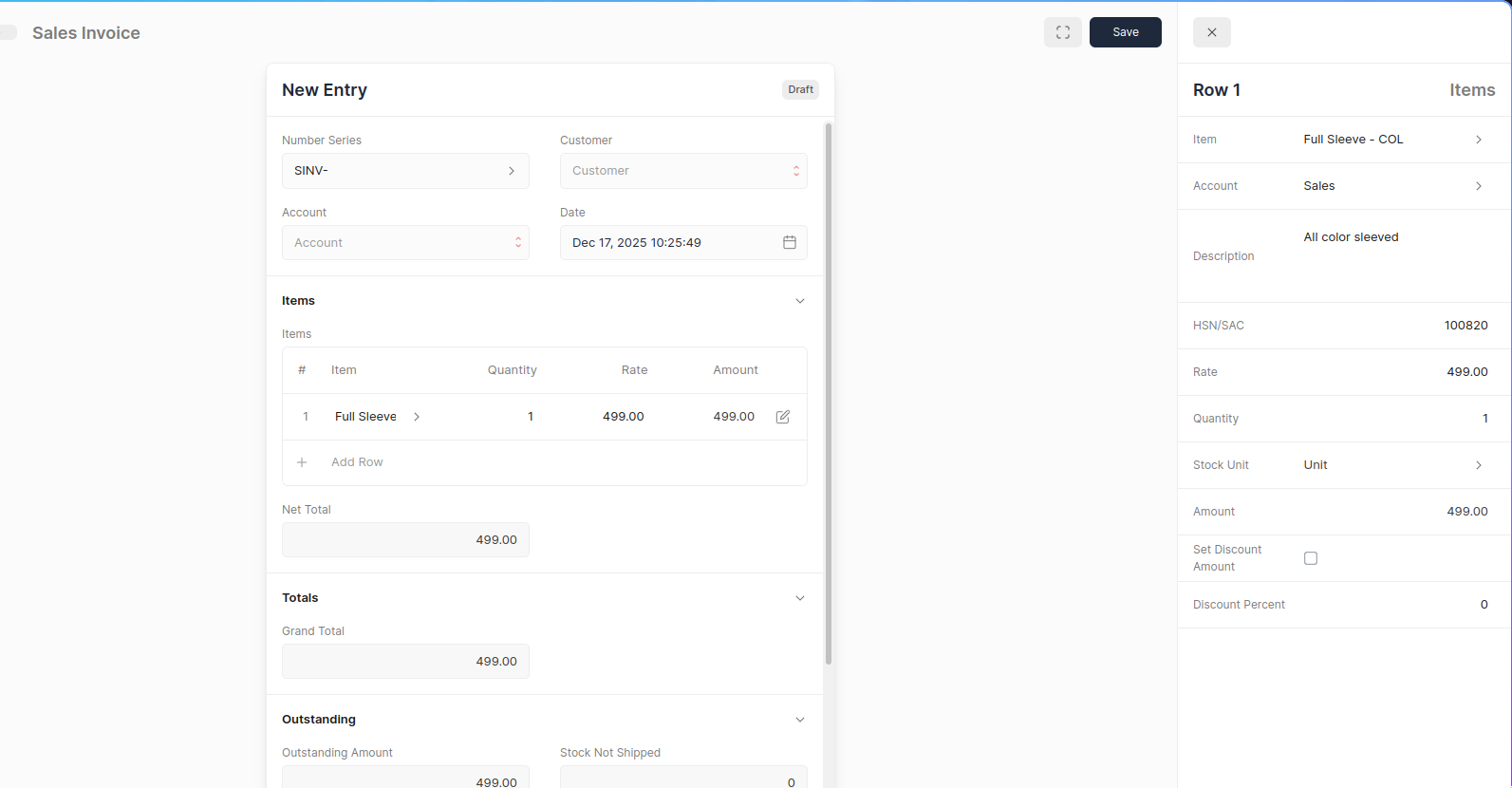
This will open Quick Edit Form to edit the invoice item values. Discount can be set in two ways:
- Setting a Discount Percent (default)
- Setting a Discount Amount
To set the Discount Amount click on Set Discount Amount. Once the Discount Amount or Percent is set the Discounted Amount will be shown.
Setting Discounted Amount
You can directly set the Discounted Amount, Accountinite will automatically calculate the item rate.