Baby steps into Accountinite
To this point you have downloaded Accountinite and tried running it already.
If not, please download it from here.
Setup Instance
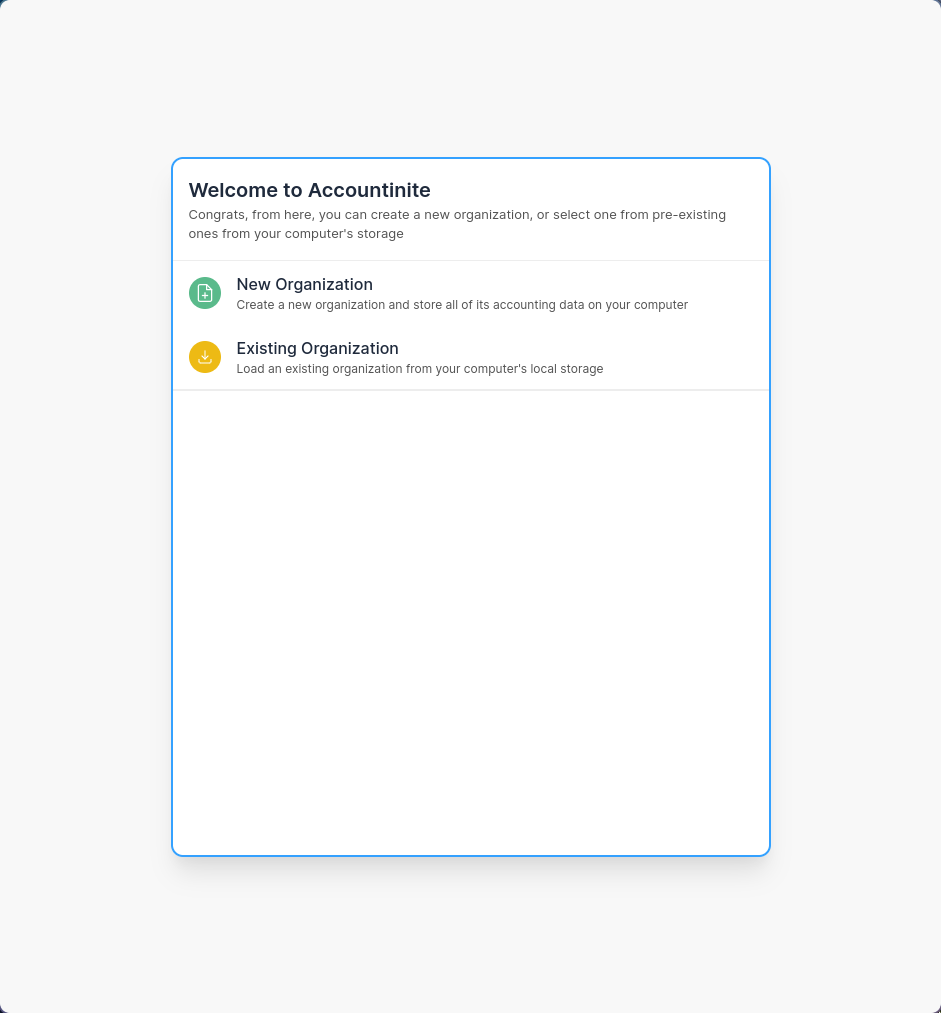
When you open Accountinite, you’ll be presented two options: New Organization and Existing Organization.
- For the first time users, click New Organization.
- For the users having unopened database(s), click Existing Organization, then locate where the database file is located.
Database File Location
Accountinite stores all your company data and transactions on a local .db file on your computer.
You can change the location of this .db file. If you have done so you can find it again by selecting the Existing File option.
Carefully enter the required information (for the first time users) upon instantiating a new organization.
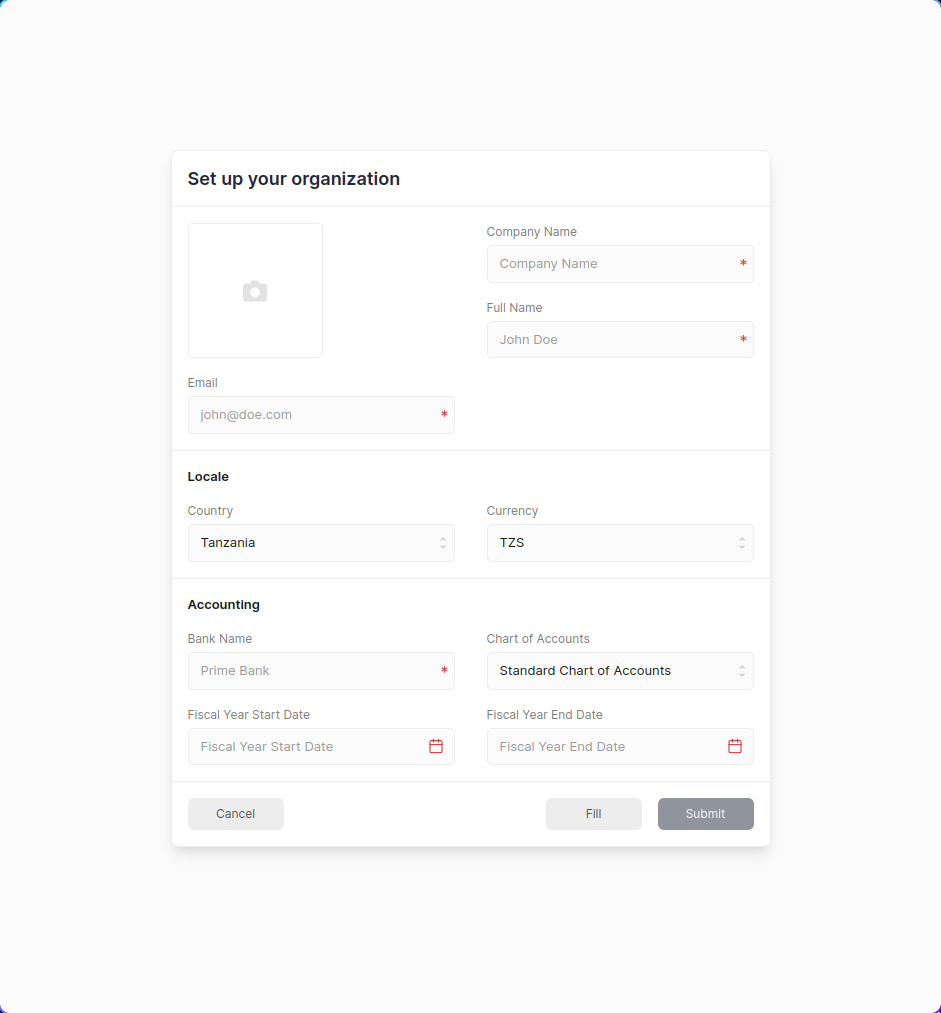
Congratulations! You now have a company set up on Accountinite.
You can now move onto the next step to create some initial entries before you can start recording your invoices and transactions.